KOVIO / DOCUMENTATION
From JSON.
To something scannable.
Pick the right authentication path, make your first request, then keep the integration safe.
Choose your path
- Server: use your secret
kv_live_key from an environment variable. Working image/payload endpoints are below. - Browser on this site: open the signed-in QR quickstart. No permanent API key needed.
- Your own website: needs its exact origin approved and Google sign-in configured. Not enabled automatically. CORS is not authentication.
- Android or iOS: the identity-token route is designed for signed-in clients. App registration and real-device verification are still required. No ready SDK or universal mobile support is claimed.
Public Google sign-up is open within free capacity: first 200 accounts, up to 20 new accounts per UTC day. Open the dashboard once to initialize your account.
Server quickstart
Create a key in the dashboard, copy it once into a server secret or environment variable, then dismiss it. Never paste the key into HTML, an APK, chat, a URL, screenshots or source control.
In the commands below, set KOVIO_API_KEY privately in your server environment. The example contains no working credential.
curl https://kovio-developers.n97485211.workers.dev/v1/qr \
  -H "Authorization: Bearer $KOVIO_API_KEY" \
  -H 'Content-Type: application/json' \
  -d '{"text":"Hello from Kovio","format":"png","size":320}' \
  --output qr.png
Node.js18+ server example:
const r = await fetch(
  'https://kovio-developers.n97485211.workers.dev/v1/qr', {
    method: 'POST',
    headers: {
      Authorization: `Bearer ${process.env.KOVIO_API_KEY}`,
      'Content-Type': 'application/json'
    },
    body: JSON.stringify({text:'Hello from Kovio', format:'png', size:320})
  });
if (!r.ok) throw new Error(`Kovio ${r.status}: ${await r.text()}`);
await (await import('node:fs/promises')).writeFile(
  'qr.png', new Uint8Array(await r.arrayBuffer())
);
Use the same pattern from Python, Java, Go or any HTTPS-capable server. Those language integrations have not each been independently tested. Do not blindly retry a POST after an uncertain network failure: a completed request may already have consumed quota. Idempotency keys are not implemented.
Keys you can manage.
Create and rename keys in the workspace. Raw keys appear only once. A label is not a credential and renaming never changes the key or its expiry.
New keys default to90days; existing keys keep their original expiry. There is no auto-renewal or permanent key. All keys share the same100/day and10/min account generation quota. Extra keys are for separate projects and rotation, not extra compute.
- Create a replacement and copy it to server secret storage.
- Update your app and verify a request works.
- Revoke the old key. Revocation blocks new requests and cannot be undone.
Dashboard management endpoints
These require an approved Google identity token on the dashboard origin, not a server API key. Prefer the workspace UI.
GET /api/me
POST /api/keys {"label":"My server","expiryDays":90}
PATCH /api/keys/KEY_ID {"label":"Renamed project"}
DELETE /api/keys/KEY_ID
Labels:1-40characters. Expiry:7,30or90days. No account deletion, bulk revoke, automatic key extension or renewal endpoint.
HTML and browser integration
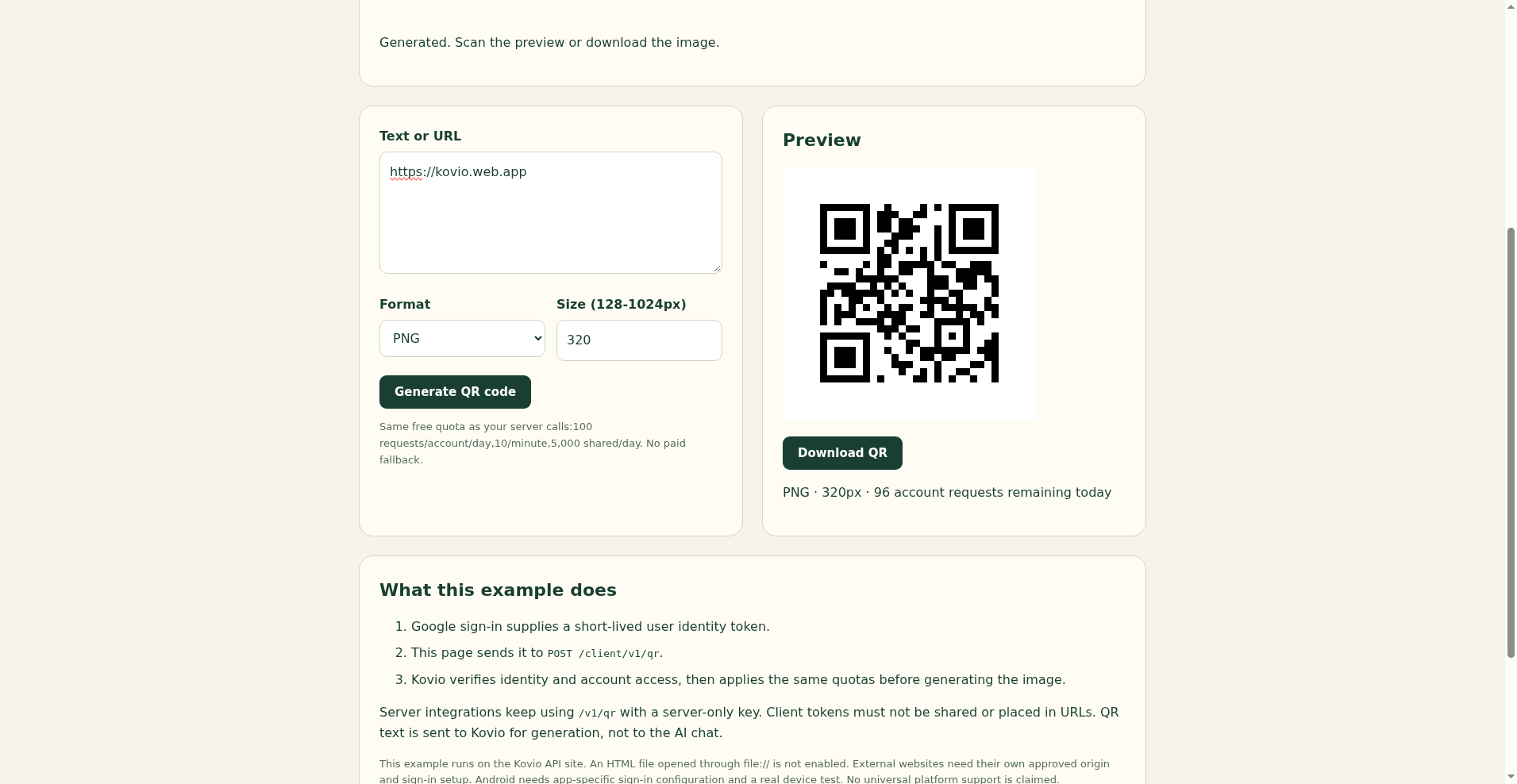
The hosted quickstart demonstrates a real browser request. It uses Firebase Google sign-in, obtains the current user's short-lived identity token, and calls the client endpoint. The token authenticates the person, not a permanent shared application secret.
// After Firebase Google sign-in in the configured project:
const idToken = await auth.currentUser.getIdToken();
const r = await fetch('/client/v1/qr', {
  method:'POST',
  headers:{Authorization:`Bearer ${idToken}`, 'Content-Type':'application/json'},
  body:JSON.stringify({text:'Hello from my page', format:'png', size:320})
});
if (!r.ok) throw new Error(`Kovio ${r.status}`);
const image = await r.blob();
The snippet assumes Firebase has already been initialized and Google sign-in completed; it is not a complete standalone login implementation. The hosted page loads its SDK bundle and stylesheet from this same site. Downloading only its HTML does not turn it into an offline app.
The external split-file web app and self-contained hosted HTML have completed real browser QR requests on their approved Pages origin. For your own host, provide the exact HTTPS origin (scheme, host and port) for approval and configure the sign-in domain. Local development needs an explicitly approved localhost origin. A downloaded file:// page has an opaque/null origin and is not enabled. Do not work around this with mode:'no-cors' or by embedding a server key.
Only the client image/payload routes are intended for client CORS. Dashboard key-management endpoints remain restricted to the dashboard origin. Tokens stay in the authentication session; never log, share or put them in request URLs. A stolen token can still be abused during its lifetime. Short-lived does not mean public.
The first integration, on video.
Browser sign-in → QR result
2minutes12seconds. The video is in the signed-in workspace, not on a public /tutorial page.
Open the tutorial entry →Sign in, go to Tutorials, choose Load the tutorial, then press Play. No automatic media download. Website, external web app and hosted single-HTML walkthroughs are available in the workspace. Android device flow remains unverified.
Android and other native clients
Use the platform's supported Google/Firebase sign-in flow, then obtain a fresh Firebase ID token and send it through HTTPS Bearer authentication to /client/v1/qr or /client/v1/payload. Do not ship a permanent kv_live_ key in the app package. CORS is a browser rule, not protection against native clients.
Before claiming Android readiness we need the app's package identity, signing certificate registration and a physical-device test. An experimental native Android demo has been registered and built, including its debug signing certificate. Physical installation, native sign-in and QR generation are not verified. This is not a released Android SDK. The same distinction applies to iOS. System/browser-based authorization is preferable to collecting Google credentials inside a custom WebView.
Endpoint reference
Image: POST /v1/qr for server keys; POST /client/v1/qr for verified user tokens. JSON in; image/png or image/svg+xml out.
text: nonempty string, at most1600 UTF-8 bytes. Character count can differ from byte count.- Or
payload: a structured payload object. Do not send both text and payload. format:pngorsvg, defaultsvg.size: integer128-1024, default320.errorCorrection:L,M,Q,H, defaultM. Dense data may need more pixels or a lower correction level.
{"payload":{"type":"url","url":"https://example.com"},
 "format":"svg","size":512,"errorCorrection":"M"}
Encoded text only: POST /v1/payload or POST /client/v1/payload. Returns JSON, not an image:
Request:  {"type":"url","url":"https://example.com"}
Response: {"text":"https://example.com/"}
Payload builders include text, URL, Wi-Fi, email, SMS, contact (vCard) and UPI. UPI only encodes supplied data; it does not verify the payee or any payment. Use the image endpoint with payload when you want a QR image in one call.
Requests must use Content-Type: application/json. Body limit4096bytes. Unknown fields and URL query strings are rejected. Images are generated per request; this API does not host a persistent QR image URL or store an editable destination.
Errors and free limits
Errors are JSON: {"error":"machine_readable_code"}. Read HTTP status and the error code together. Do not send raw credentials or personal payloads when asking for help.
- 400: malformed JSON, unsupported fields, invalid size/format or payload.
- 401: missing/expired/invalid identity or API key. Sign in again for client calls; check/reissue the server key privately for server calls.
- 403: account access denied, disallowed origin, or account not initialized. A CORS error in a browser may hide the response body.
- 404/405: wrong route/query or method. Generation endpoints accept POST.
- 409: active key limit when creating a key.
- 422: content too dense or image too small for the encoded data.
- 429: request, account, signup, AI or global free limit. Inspect the error code. The response includes
Retry-After:60, but a daily limit will not reset in one minute. - 503: temporarily unavailable. Health status alone is not a database, billing or readiness guarantee.
Accepted generation calls share100/account/day and10/minute across server keys and client identities;5,000/day globally. Daily counters reset at00:00 UTC. Extra attempt guards can reject requests sooner. Ten active server keys/account; choose7,30or90-day expiry for new keys (default90); at most10 creations/day. Existing expiry dates are unchanged. Public signups are limited to the first 200 accounts and 20 new accounts per UTC day. No payment, paid fallback, uptime promise or automatic upgrade.
Successful image/payload responses include X-RateLimit-Remaining for the account's remaining daily quota. Per-request IDs, full SDKs, webhook delivery and idempotent retry storage are not implemented. They should not be inferred from other providers' docs.
Security and privacy checklist
- Shared an HTML file containing a real key? Disable sharing and revoke that key. Masked dots do not protect source code. Do not send the key to support.
- Use HTTPS. Keep server keys in server-side secret storage. Restrict application access separately from CORS.
- Keep each key scoped to a project operationally by label. Keys currently have the same endpoint permissions; per-key scope restrictions and IP allowlists are not implemented.
- API QR text goes to Kovio for rendering. AI help is separate and sends chat messages to Cloudflare Workers AI. Do not send secrets to chat. Gmail reporting is not connected.
- Inspect and scan generated codes before relying on them, especially payment/contact details. No scanner or destination-safety guarantee is implied.
References: OpenAI API overview, Firebase ID tokens, Native app authorization, CORS/null origins.
Batch QR generation
POST /v1/qr/batch with a server-only key, or /client/v1/qr/batch with Firebase identity from an approved browser origin. Permanent server keys are rejected from browsers.
{"items":[{"text":"Table01","format":"png","size":320},{"text":"Table02","format":"svg","size":320}]}1-10 images,20KB total JSON,4MB encoded output maximum. Each QR accepts up to1600 UTF-8 bytes,128-512px, L/M/Q/H correction. Dense content may not fit the selected size. Response: items with index, contentType, encoding (base64 PNG or utf8 SVG), data and charged count. Every image uses one generation:100/account/day,10 images/minute and5000/day shared. All-or-none validation and quota. No automatic retries: an uncertain network response can already have consumed quota.
Editable links and aggregate activity
Use the signed-in dashboard or owner-only /api/links endpoints to create a public HTTPS destination preview. Print a QR for its stable /r/ link. Change the destination later without changing that printed QR. Existing main-site QRs are untouched. GET/POST /api/links lists/creates; GET/PATCH/DELETE /api/links/{id} reads/edits/permanently disables only your own links. Owner calls use Firebase identity, not server keys.
Create fields: label (1-60 characters), destination (public HTTPS, up to500 characters), expires (null or future epoch milliseconds,1minute-366days). PATCH accepts these fields.20 retained links/account,1000 shared. Disabled records still count toward capacity. Destination preview opens and explicit Continue clicks are daily UTC aggregates for30days, not unique people or verified physical scans. Bots and reloads may count. No visitor IP, GPS, cookie or device fingerprint is stored by this feature; ordinary hosting logs may exist. Shared event cap5000/day and300/minute. Disable deletes activity and cannot be reversed. No malware-free destination guarantee.
Three server-only APIs
Use an existing server API key in Authorization: Bearer YOUR_API_KEY. Browser requests with permanent keys are denied. Never put the key in HTML, a QR or a mobile app. These small beta features pause at shared capacity; no paid fallback or uptime guarantee.
One-time QR passes
POST /v1/passes/issue with {"expiresInSeconds":3600} returns id, token and expires. Encode the returned opaque token with /v1/qr. It is not a public redemption URL. The token is shown only in this response; store it securely. Only a SHA-256 token digest is retained.
POST /v1/passes/redeem with {"token":"TOKEN", "redemptionId": "RANDOM_ID_12345678"}. Generate a random ID for each intended redemption, then keep that same ID for a network retry. One atomic terminal transition wins. A retry with the same token and request ID returns the same receipt with replayed:true; a different ID cannot consume the pass again. Record the receipt before your own action. This API cannot make your door, stock or delivery action exactly-once.
POST /v1/passes/status or /v1/passes/revoke with {"id":"PASS_ID"}. Only the issuing account, including its other active keys, can inspect or use a pass. Issued, redeemed, revoked and expired are distinct states. A revoked or expired pass cannot be revived. No automatic issuance retry: an uncertain response may already have created a pass whose token cannot be recovered.
Expiry60-86400seconds.20retained passes/account,1000shared; redeemed/revoked/expired rows still use capacity until lazy cleanup. Rows are eligible for cleanup24hours after terminal state or expiry. All authenticated valid-shaped operations, including conflicts/retries/not-found, count toward10/minute and100/UTCday/account,1000/UTCday shared. Existing attempt/admission limits also apply. QR rendering uses its separate existing generation quota. No identity, payment, physical entry or delivery verification.
Signed QR data
POST /v1/signatures/sign with {"data":"Warranty reference W-123","expiresInSeconds":3600}. Returns an ES256 compact JWS token suitable for /v1/qr. Data max512UTF-8bytes; expiry60-86400seconds. The signed data is readable, not encrypted. Do not include secrets or personal data.
POST /v1/signatures/verify with {"token":"SIGNED_TOKEN"} returns valid:true and the exact data only if signature, account and expiry checks pass. Invalid or expired signatures return422 with valid:false. POST /v1/signatures/key with {} returns issuer, activeKid and public JWKs for independent offline verification. Pin the expected issuer and ES256 algorithm, verify the signature and typ=kovio-signed-data+jwt, and check iat/exp with a trusted clock. Offline verification cannot learn revocation or later key changes.
POST /v1/signatures/rotate with {} changes the active signing key. Existing signatures remain usable until their own expiry.2key creations/UTCday/account includes initial creation; at most3retained keys/account and500shared. Old keys are eligible for lazy cleanup48hours after rotation. Signing private keys are encrypted at rest under a separate service secret. The service secret must be configured; otherwise these endpoints fail closed with503.10operations/minute and100/UTCday/account,1000/UTCday shared, including failed verification attempts. There is no per-token revocation endpoint. A valid signature proves integrity under this service's key, not the truth of a warranty, identity, payment or document.
Read a QR image
POST /v1/qr/read with Content-Type: image/png and the raw PNG bytes, not JSON or a remote URL. Returns text, width and height for the first supported QR found. No QR returns422. Treat decoded text as untrusted; the API does not open links, fetch destinations or certify safety.
128KiB encoded upload maximum, dimensions21-1024 each and at most262144pixels total. Non-interlaced8-bit grayscale, RGB, grayscale-alpha or RGBA PNG only. Indexed/palette, tRNS transparency, animation, JPEG, PDF, SVG, blurred-photo reliability and multiple-QR extraction are not supported.5uploads/minute and20/UTCday/account,200/UTCday shared; accepted PNG upload attempts count even if corrupt or no QR is found. Decoded text max1600UTF-8bytes. No image or decoded text is retained by this feature; ordinary hosting logs may exist.